
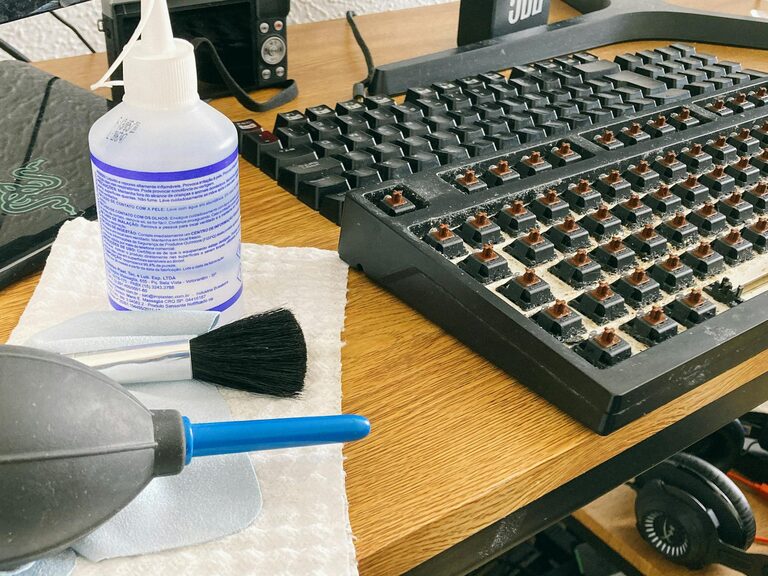
Keeping your phone and keyboard clean is essential for both hygiene and device performance. These everyday items collect dust, dirt, and germs quickly, so regular cleaning helps maintain their longevity and your health. However, since these gadgets contain sensitive electronic components, cleaning them requires some care to avoid damage. In this guide, we’ll walk you through safe and effective methods for cleaning your phone and keyboard.
Why Clean Your Phone and Keyboard?
Phones and keyboards are among the most frequently touched objects, making them hotspots for bacteria and grime. Over time, dust buildup and sticky residues can affect their performance and appearance. Regular cleaning prevents buildup, reduces germs, and keeps your devices looking fresh.
What You’ll Need
Before you start cleaning, gather these supplies:
– Microfiber cloths (soft and lint-free)
– Isopropyl alcohol (70% or less concentration)
– Distilled water
– Cotton swabs or soft brushes
– Compressed air canister (optional)
– Small bowl
– Mild dish soap (optional)
Always avoid harsh chemicals like bleach or ammonia, as they can damage screens and plastic surfaces.
How to Clean Your Phone Safely
Step 1: Power Down Your Phone
Before cleaning, turn off your phone and unplug any cables. This minimizes the risk of electrical damage while cleaning.
Step 2: Remove Phone Case and Accessories
Take off any cases, screen protectors, or external accessories. Clean these parts separately according to their material (plastic, silicone, leather).
Step 3: Prepare Your Cleaning Solution
Mix equal parts distilled water and isopropyl alcohol in a small bowl. This solution disinfects without damaging screens or coatings.
Step 4: Wipe Your Phone Gently
Dampen a microfiber cloth slightly with the cleaning solution. Avoid soaking it; you want it just moist enough to clean. Gently wipe all surfaces of the phone, including the screen, back, and sides.
Step 5: Clean Ports and Buttons
Use a dry cotton swab or a soft brush to remove dirt from ports, buttons, and speaker grills. Avoid using liquids in these areas to prevent damage.
Step 6: Dry and Reassemble
Use a dry microfiber cloth to wipe off any remaining moisture. Wait a few minutes before turning your phone back on or putting the case back on.
How to Clean Your Keyboard Safely
Step 1: Unplug or Turn Off Your Keyboard
For wired keyboards, unplug them from your computer. For wireless keyboards, turn them off or remove batteries.
Step 2: Remove Loose Debris
Turn the keyboard upside down and gently shake it to dislodge crumbs and dust. You can also use compressed air to blow debris out from between the keys.
Step 3: Clean the Keys
Dampen a microfiber cloth with a mixture of mild dish soap and water. Lightly wipe the tops of the keys. For sticky or grimy spots, a cotton swab dipped in the solution can work well.
Step 4: Deep Cleaning (Optional)
For mechanical keyboards, you can carefully remove individual keys with a key puller (if you have one) and clean underneath. Be sure to consult your keyboard’s manual for instructions.
Step 5: Disinfect the Surface
Dampen a cloth with a 70% isopropyl alcohol solution and gently wipe the keyboard surface to disinfect. Avoid drenching the cloth or letting liquid seep under keys.
Step 6: Dry Thoroughly
Let the keyboard air dry completely before plugging it back in or turning it on.
Tips for Maintaining Clean Devices
– Wash your hands before using your phone or keyboard.
– Avoid eating or drinking near your devices to prevent spills and crumbs.
– Clean your devices regularly—at least once a week if possible.
– Store your phone and keyboard in a clean, dust-free environment.
– Use screen protectors and keyboard covers to minimize dirt buildup.
Final Thoughts
Cleaning your phone and keyboard doesn’t have to be complicated or risky. With simple tools and a careful approach, you can maintain the cleanliness and functionality of your devices. Regular maintenance not only helps keep germs away but also prolongs the life of your valuable gadgets.
By following these steps, you’ll enjoy cleaner, better-performing devices without worrying about damage. Set a cleaning routine today and make hygiene a priority for your everyday tech!